

Networking
Run Luwal on one computer or share it across your school network.
- Let your whole team work from the same data
- Keep everything in one place
- Everyone sees the same up-to-date information
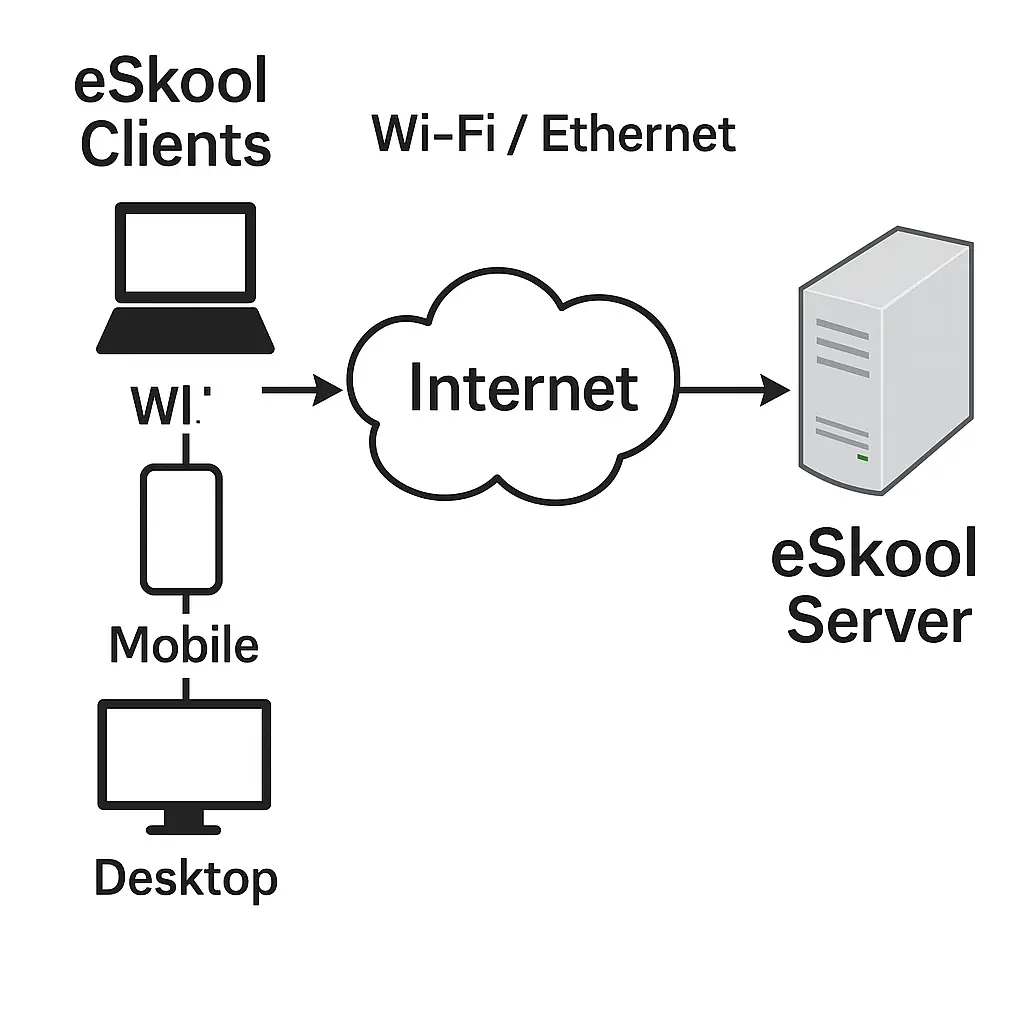
Set Up the Server
Section titled “Set Up the Server”Install Luwal on a computer that stays on and that everyone can reach on the network. This computer holds the central database.
Connect Other Computers
Section titled “Connect Other Computers”- Install Luwal on each workstation.
- On the server, sign in with your administrator account and create an account for each user.
- Set up workspaces and roles.
- Connect all computers to the same local network as the server.
- On each workstation, click the Luwal Server button at the bottom left of the login screen.
- In the Servers list, select your server. Servers running on your network appear there automatically; This Machine is the Luwal on the workstation itself.
- Close the window and sign in with the assigned username and password.
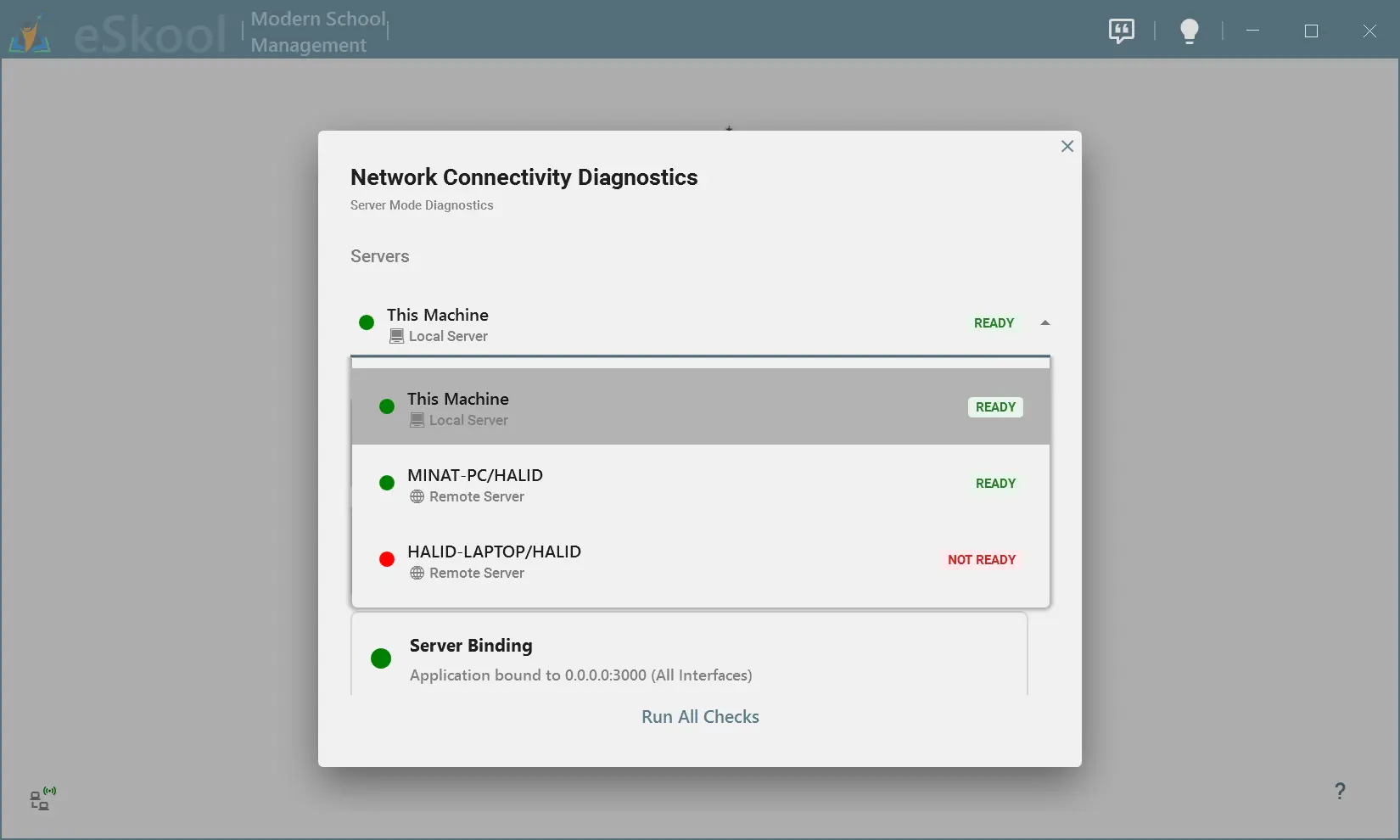
Tip: If the server doesn’t appear, check that both computers are on the same network and that Luwal is running on the server. Then run the connection diagnostics.