

Tracks & Branches
Create branches to organize your classes.
- Group your classes the way your school is organized
- Primary, Secondary, Science Track—whatever makes sense
- Makes finding things easier when you have many classes
1. Open Branches
Section titled “1. Open Branches”From the home screen, click Programs.
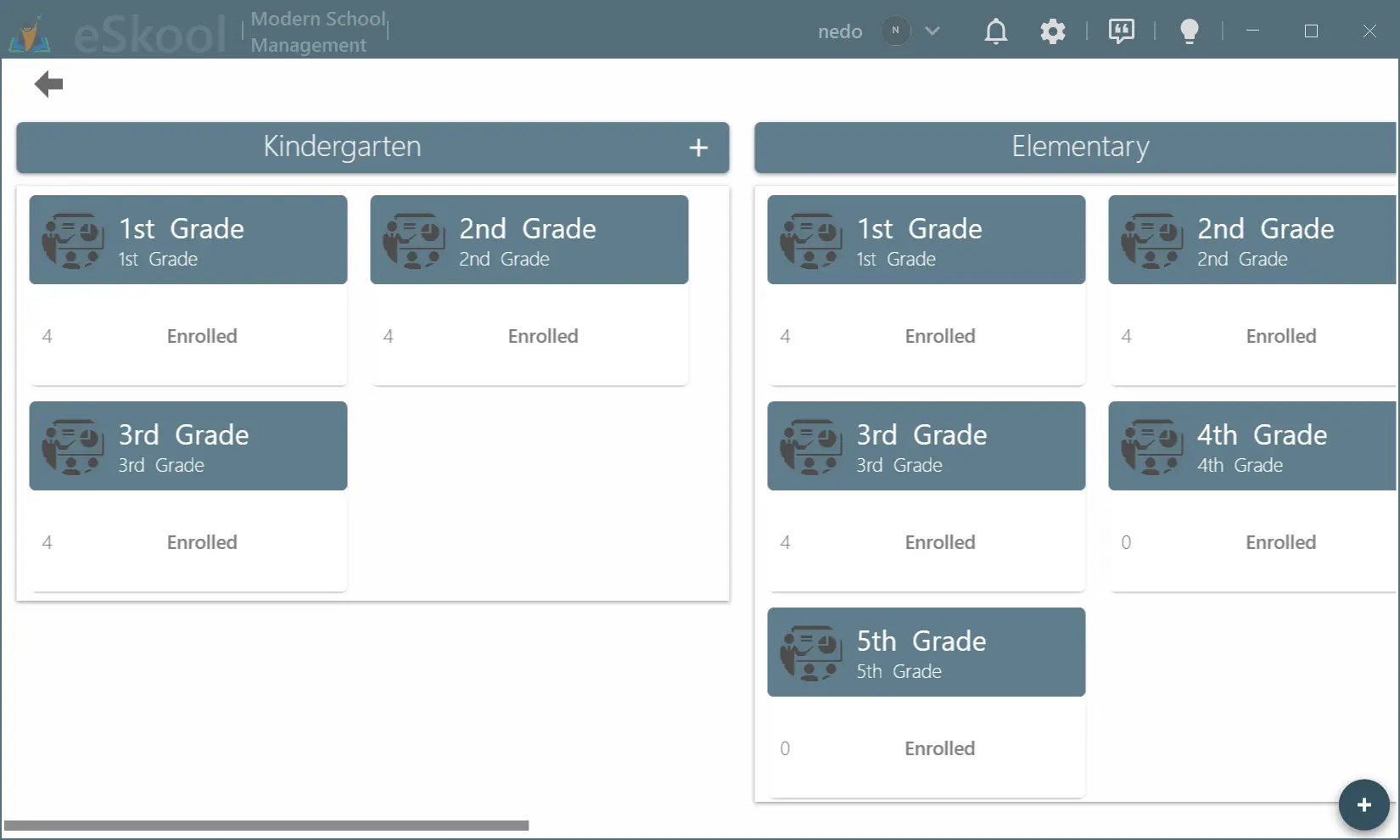
2. Add a Branch
Section titled “2. Add a Branch”Click the + button at the bottom right of the page.
3. Enter Details
Section titled “3. Enter Details”Enter a Name for the branch (e.g., “Primary School” or “Science Track”). Choose the Study System: Traditional for classes, LMD for modules. You can also set the Code, Level, Duration and Grading System. Click Save.
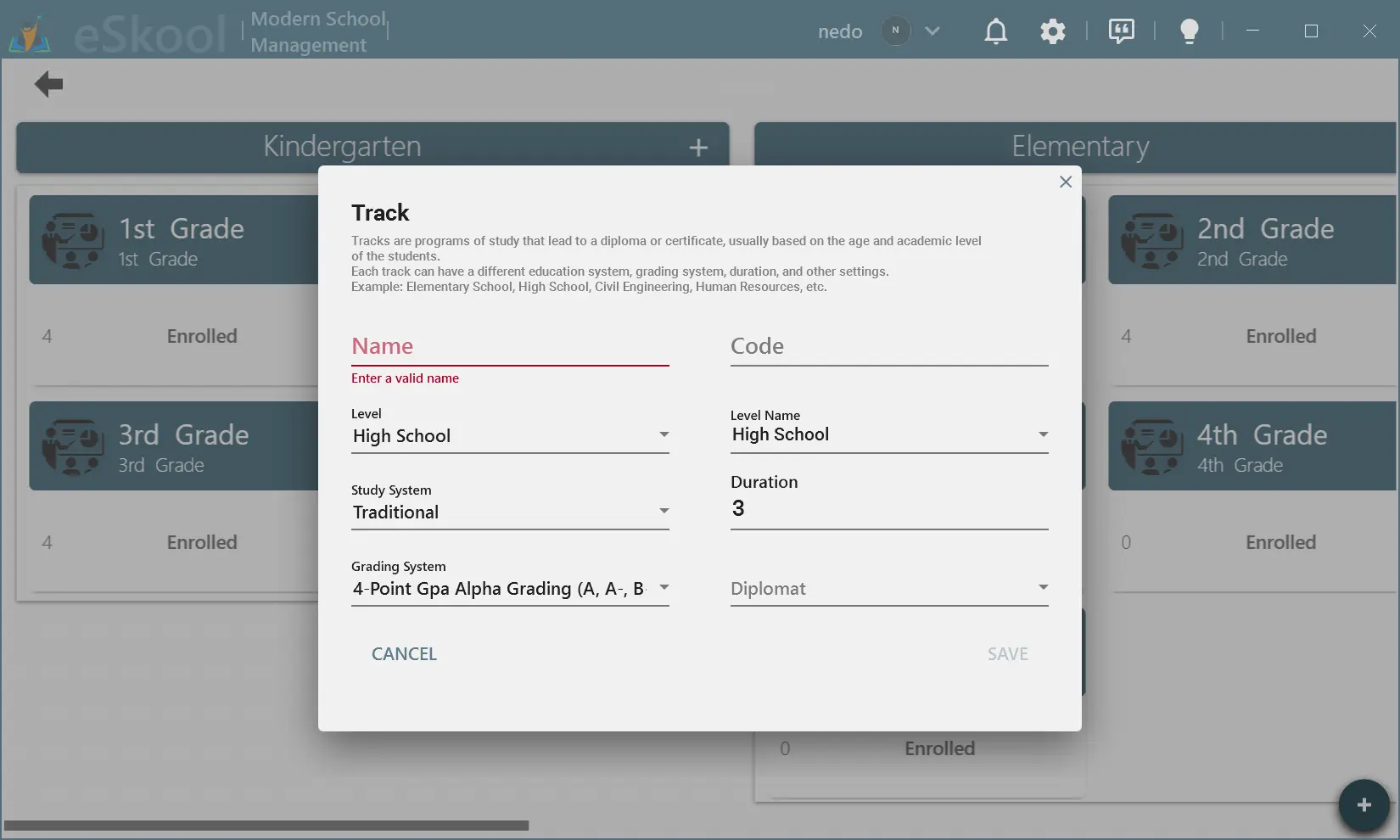
The branch now appears on the page. Click the + button in its header to add classes.
To change or remove a branch, right-click it and select Edit or Delete.