

Certificates & Documents
Print official school documents like certificates and ID cards.
- Documents come out with your school’s branding
- Print for one student or a whole class at once
- Attendance and completion certificates, fee letters, ID cards—all from one menu
Print a Document for One Student
Section titled “Print a Document for One Student”- Find the Student From the home screen, click Students.
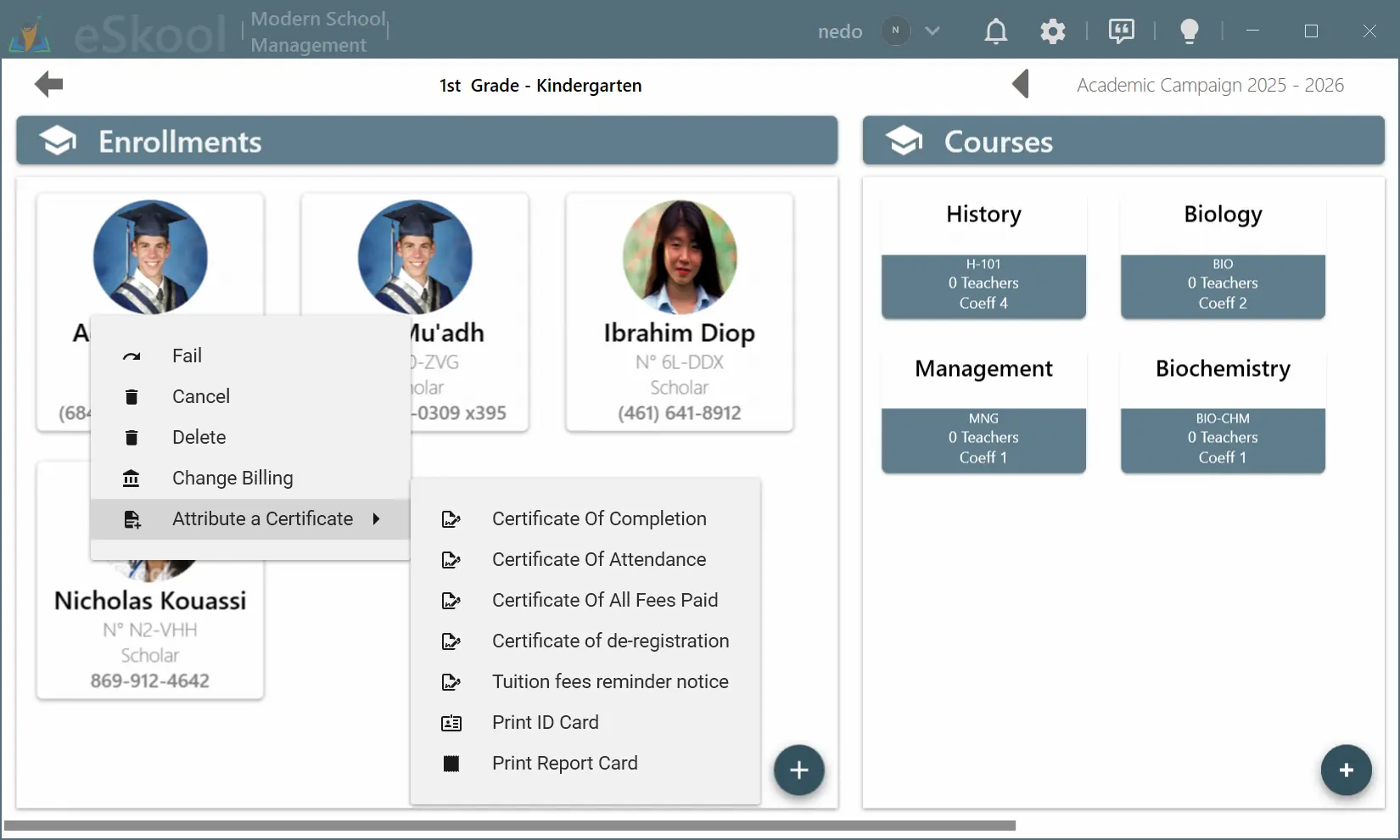
- Choose the Document Right-click the student’s card and point to Attribute a Certificate. Select the document you want:
- Certificate of completion
- Certificate of attendance
- Certificate of de-registration
- Certificate of all fees paid
- Tuition fees reminder notice
- Print The document opens in a preview. Pick a Model if several are offered, then click Download PDF or Print.
For a student ID card, right-click the card and select Print ID Card. The same menu is available when you right-click a student in a class’s Enrollments panel.
Print Documents for a Whole Class
Section titled “Print Documents for a Whole Class”- From the home screen, click Programs, then double-click the class.
- In the Enrollments panel, point to the round button at the bottom right.
- Click Print Students IDs for everyone’s ID card, or Generate Report Cards for report cards.
ID cards are printed only for students whose enrollment is accepted.
If Something Goes Wrong
Section titled “If Something Goes Wrong”- Certificate of all fees paid opens a Tuition fees reminder notice instead: the student still owes fees for the school year.
- Certificate of de-registration is refused while the student is still enrolled in a class or has unpaid fees.
- Certificate of completion needs a level the student has already completed.