

Add Staff
Register a new teacher or staff member.
- New hire? Start here to get them in the system
- Once added, you can give them subjects, a schedule, and a login
- Their profile tracks everything they do
1. Open Staffs
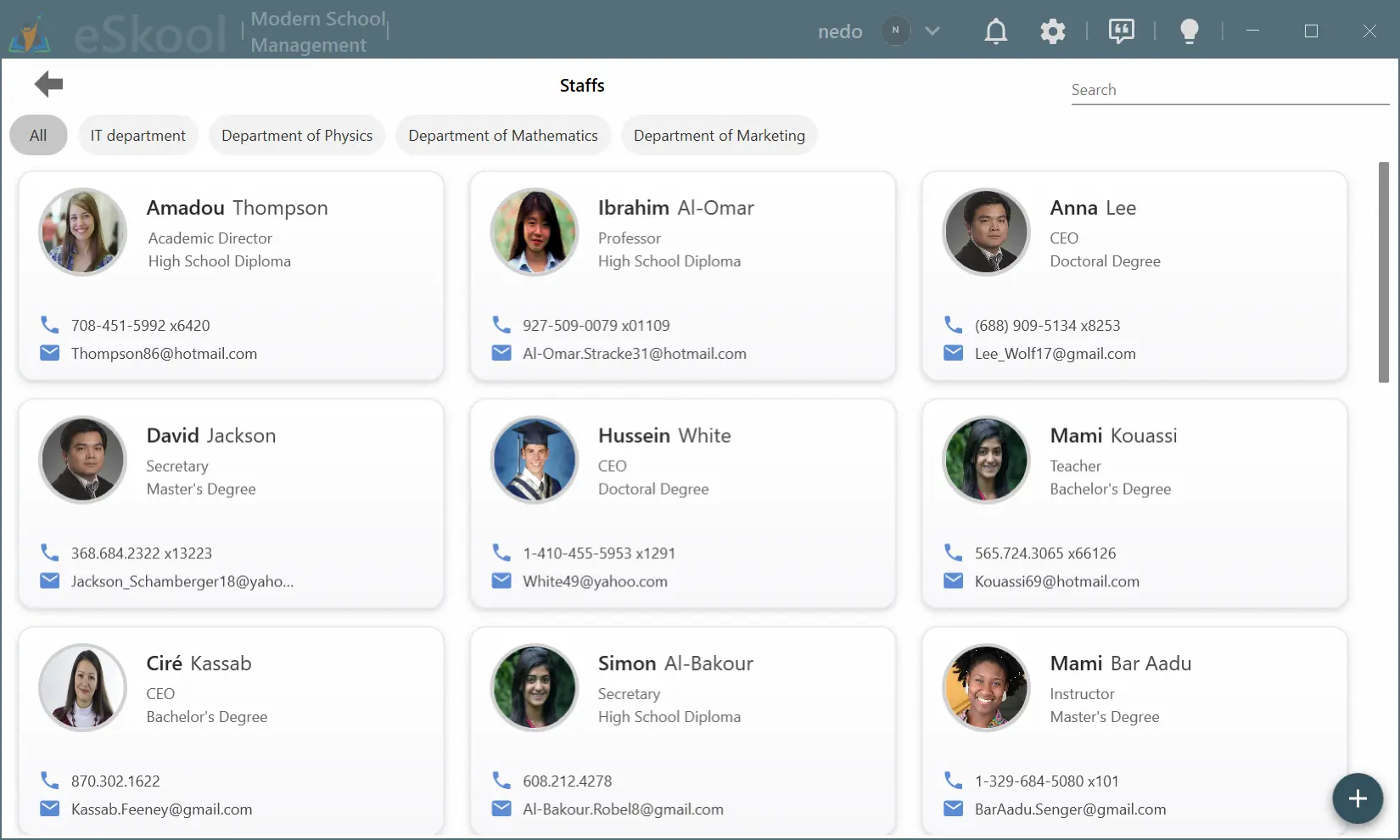
Section titled “1. Open Staffs”From the home screen, click Staffs.
2. Add a New Staff Member
Section titled “2. Add a New Staff Member”Point to the round button at the bottom right and click Register new staff.
3. Enter Details
Section titled “3. Enter Details”Enter the First Name and Last Name (both required). Fill in the rest as needed: Gender, ID Number, Nationality, Position, Birth Date, Phone Number, Email, Address, Qualification and Department. Click the photo to add a picture. Click Save.
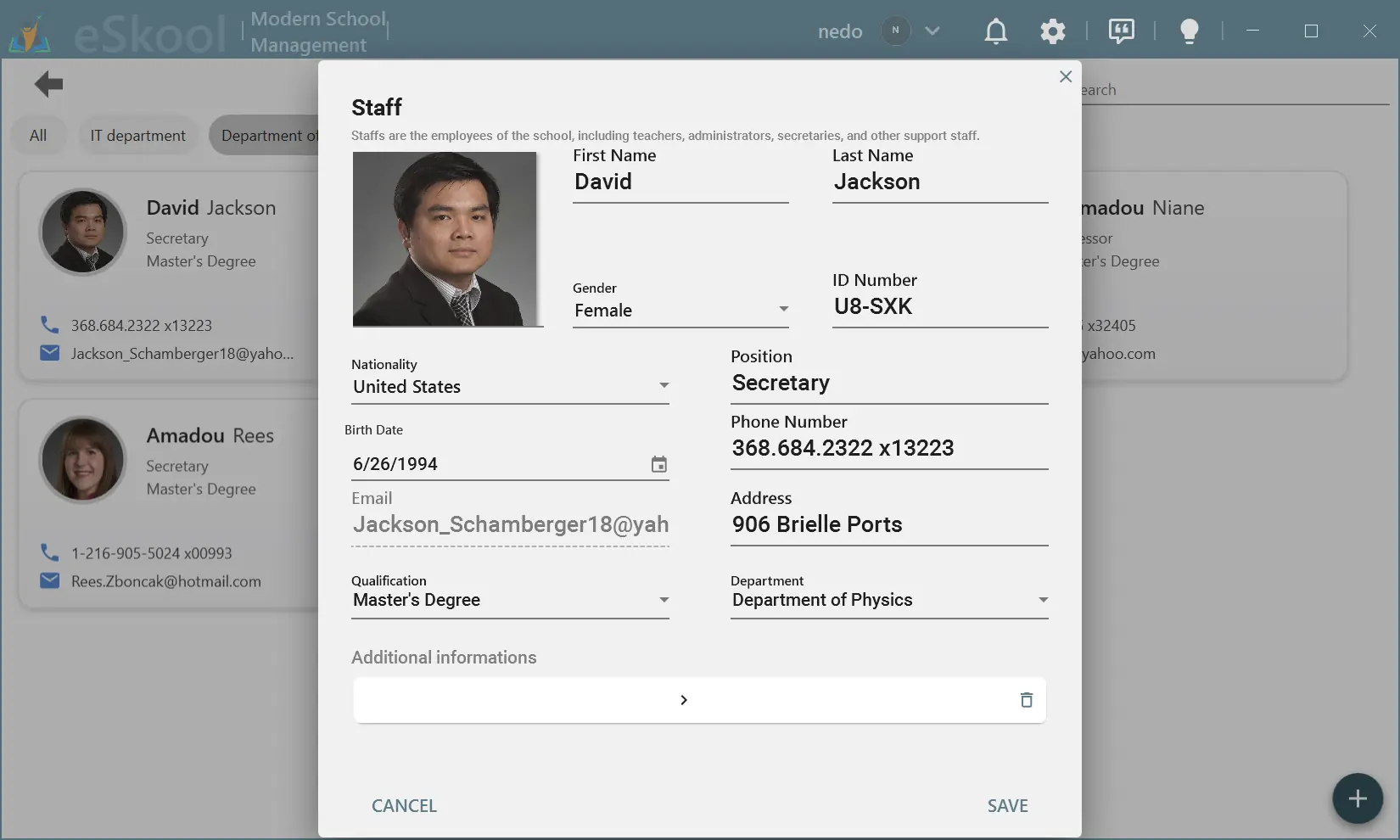
The staff member can now be given subjects and a login.
Tip: To let the person fill in their own details, use Add staff by email instead. Luwal emails them a link to complete the registration.