Payment Plans
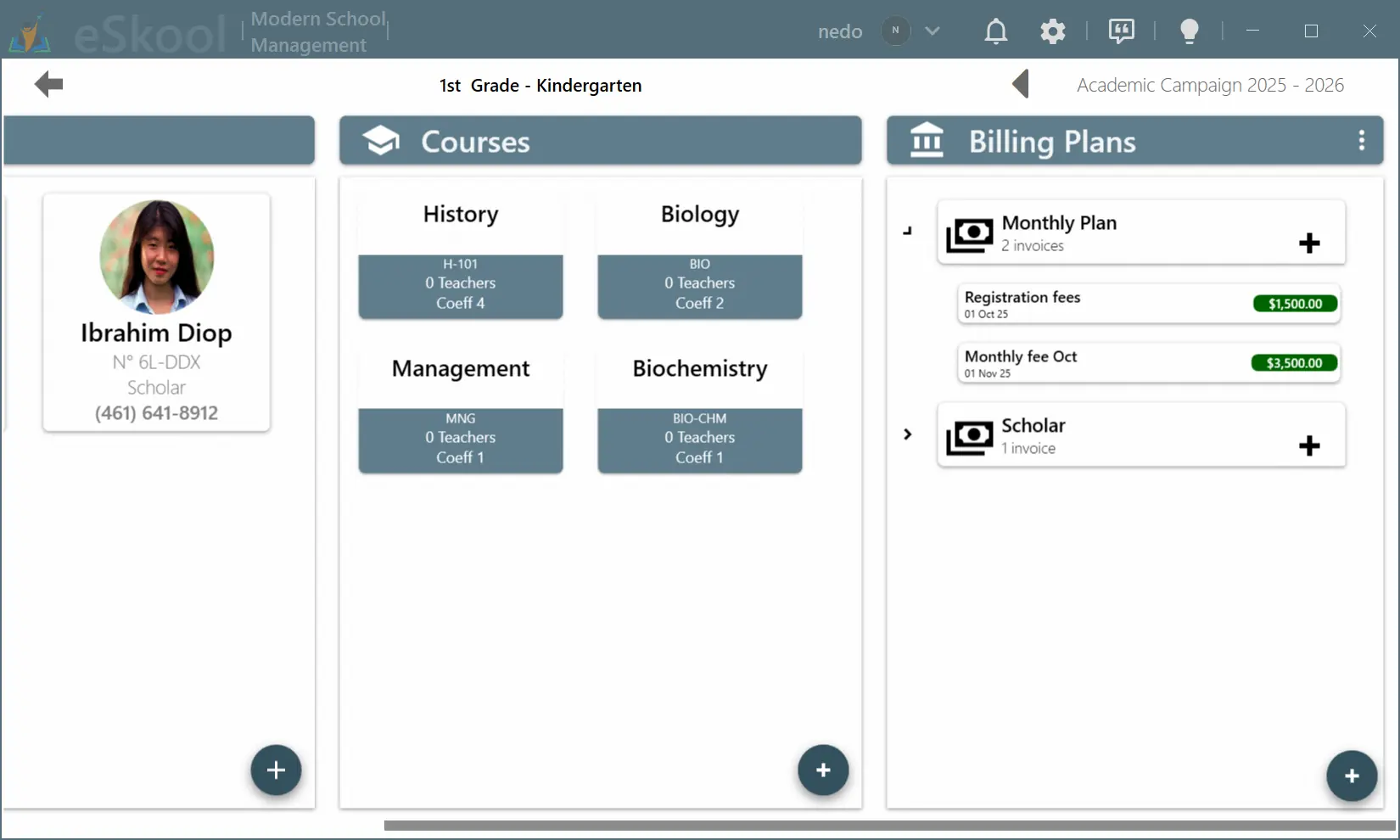
Set up payment plans for a class.
- Create flexible payment options like monthly or annual plans
- Bundle fees for registration, tuition, transport, and canteen
- Pick a plan for each student at enrollment—their fees follow automatically
Before You Start
Section titled “Before You Start”The school year must exist (Create a Campaign) and the class must be created.
1. Open Programs
Section titled “1. Open Programs”From the main dashboard, click Programs.
2. Select a Class
Section titled “2. Select a Class”Double-click the class you want to set up billing for. Check the school year shown at the top right: the plans you create belong to that year.
3. Create the Payment Plan
Section titled “3. Create the Payment Plan”- In Payment plans, click the plus icon (+) at the bottom right (New Billing).
- Choose Create new payment plan and enter its Name (e.g. “Monthly Plan”), or choose Select existing payment plan to reuse one.
- Click Save.
4. Add the Fees
Section titled “4. Add the Fees”- Click the plus icon (+) on the plan (New Fee).
- Enter the fee Name (e.g. “Registration”), the amount and the Due Date.
- Click Save. Repeat for each fee in the plan.
When you enroll a student in the class, choose their plan in the Billing field. Luwal then tracks what they owe. To switch a student to another plan later, right-click them in Enrollments and select Change Billing.
If Something Goes Wrong
Section titled “If Something Goes Wrong”- Invalid Due Date – A fee’s due date must fall within the school year.
- A payment plan with the same name exists for this group – You renamed a plan to a name another plan of the class already uses.
- A fee amount must be greater than zero.
Example: Two Payment Plans for the Same Class
Section titled “Example: Two Payment Plans for the Same Class”Monthly Plan:
- Registration: €1,000 (one-time)
- Tuition: €100/month
- Canteen: €10/month
- Transport: €10/month
Annual Plan:
- Registration: €1,000 (one-time)
- Tuition: €1,200/year
- Canteen: €120/year
- Transport: €120/year