

Link to Your School
Add a student or staff member to your school by email, so their Luwal Cloud account is tied to their record.
- This connects their login to their actual record
- Without this, they can log in but won’t see their school’s data
- An administrator does this once for each person
How to Link an Account (For Administrators)
Section titled “How to Link an Account (For Administrators)”-
Open the List In the Luwal desktop app, open Students or Staffs.
-
Add by Email Click the envelope button Add student by email (on the Staffs page: Add staff by email). This button only appears when email is set up for your school.
-
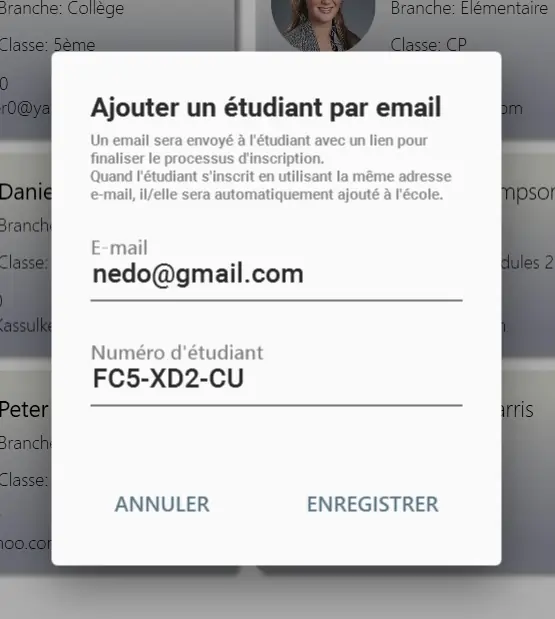
Enter Their Email Enter the email the person uses, or will use, on the Luwal web portal. For a student, check the Student ID too.
-
Confirm Confirm. Luwal emails the person a link to complete their registration. When they sign up with that same email, they are added to your school automatically.
Working in the online portal instead? See Invite a Student and Invite a Staff Member.