

Staff Timetables
View a teacher’s personal schedule.
- See exactly when and where each teacher is busy
- Helpful when planning coverage or meetings
- Updates automatically when the main timetable changes
1. Open Staffs
Section titled “1. Open Staffs”From the home screen, click Staffs.
2. Open the Teacher’s Profile
Section titled “2. Open the Teacher’s Profile”Double-click the teacher.
3. View Their Schedule
Section titled “3. View Their Schedule”Open the Schedules tab. It shows the teacher’s weekly timetable with all assigned classes and activities.
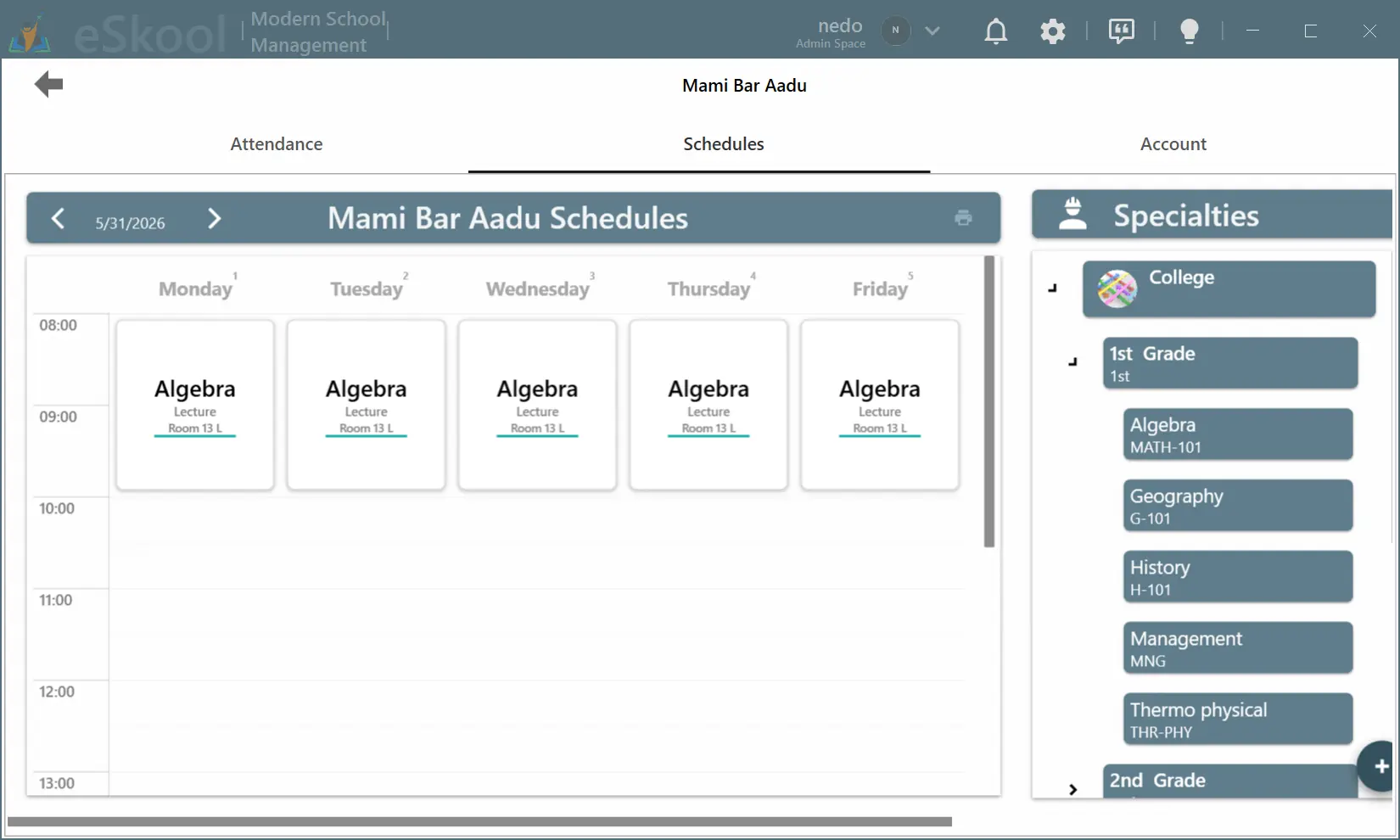
Note: This view is read-only. To change a teacher’s schedule, edit the main Timetable.