

Connect SMS Service
Link your SMS credits to the Luwal desktop app.
- Buy credits online, then connect them to Luwal
- One-time setup — takes just a minute
- After this, you’re ready to send
Before You Start
Section titled “Before You Start”Make sure Luwal is installed on your computer.
1. Open the Connection Page
Section titled “1. Open the Connection Page”Go to https://luwal.fr/portal/settings/open-desktop, or click Settings > Open Desktop in the portal’s left menu. The Connect the desktop app page opens.
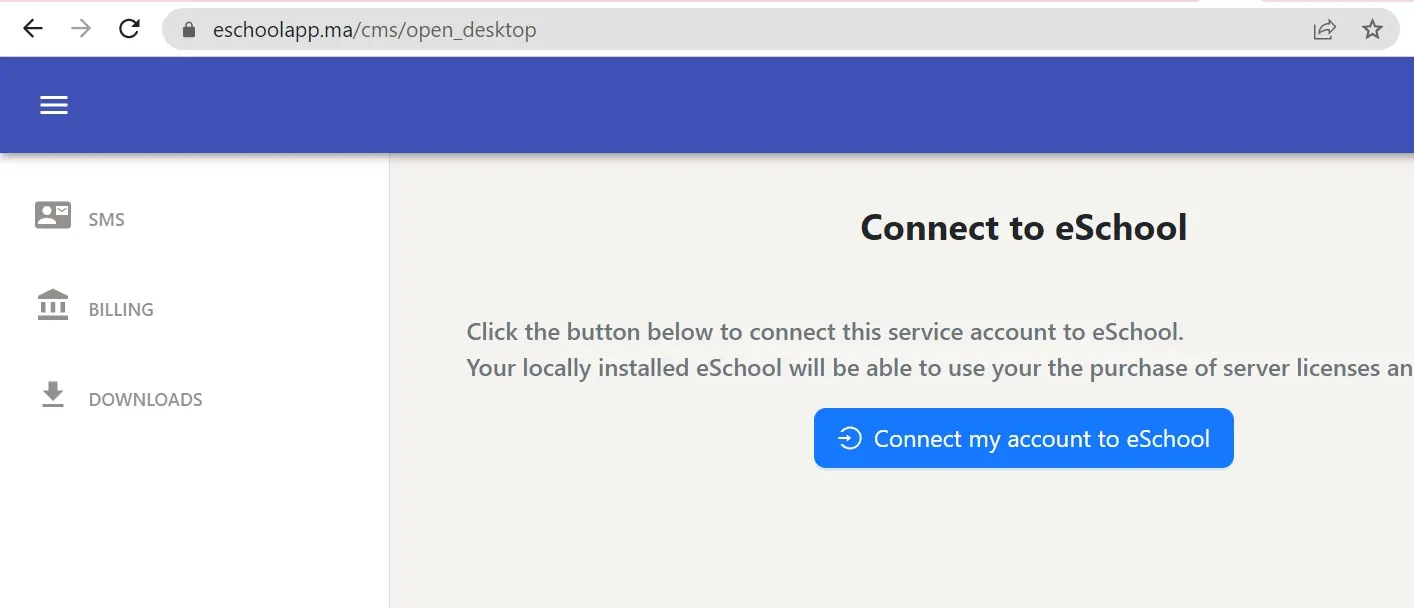
2. Connect
Section titled “2. Connect”Click Connect my account to the desktop app.
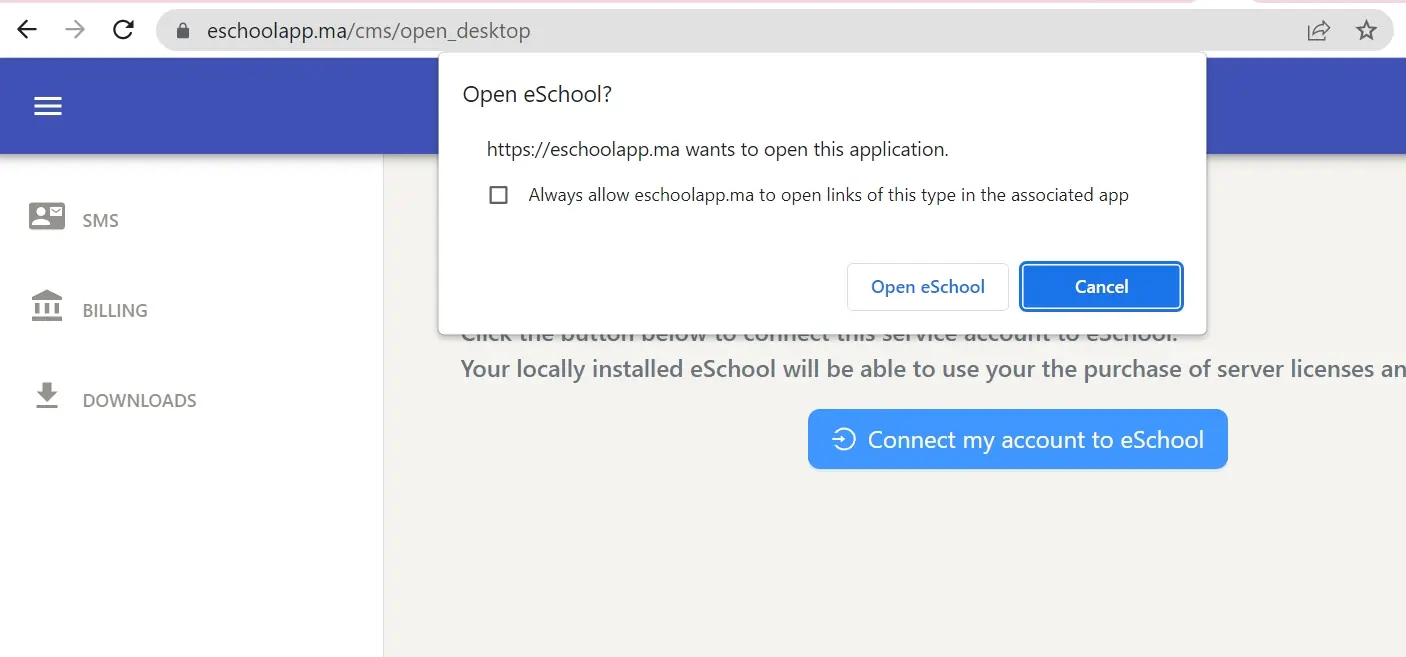
Your browser will ask to open Luwal. Allow it.
3. Confirm
Section titled “3. Confirm”Luwal confirms with the message “Your service account has been set successfully.” and opens its settings.
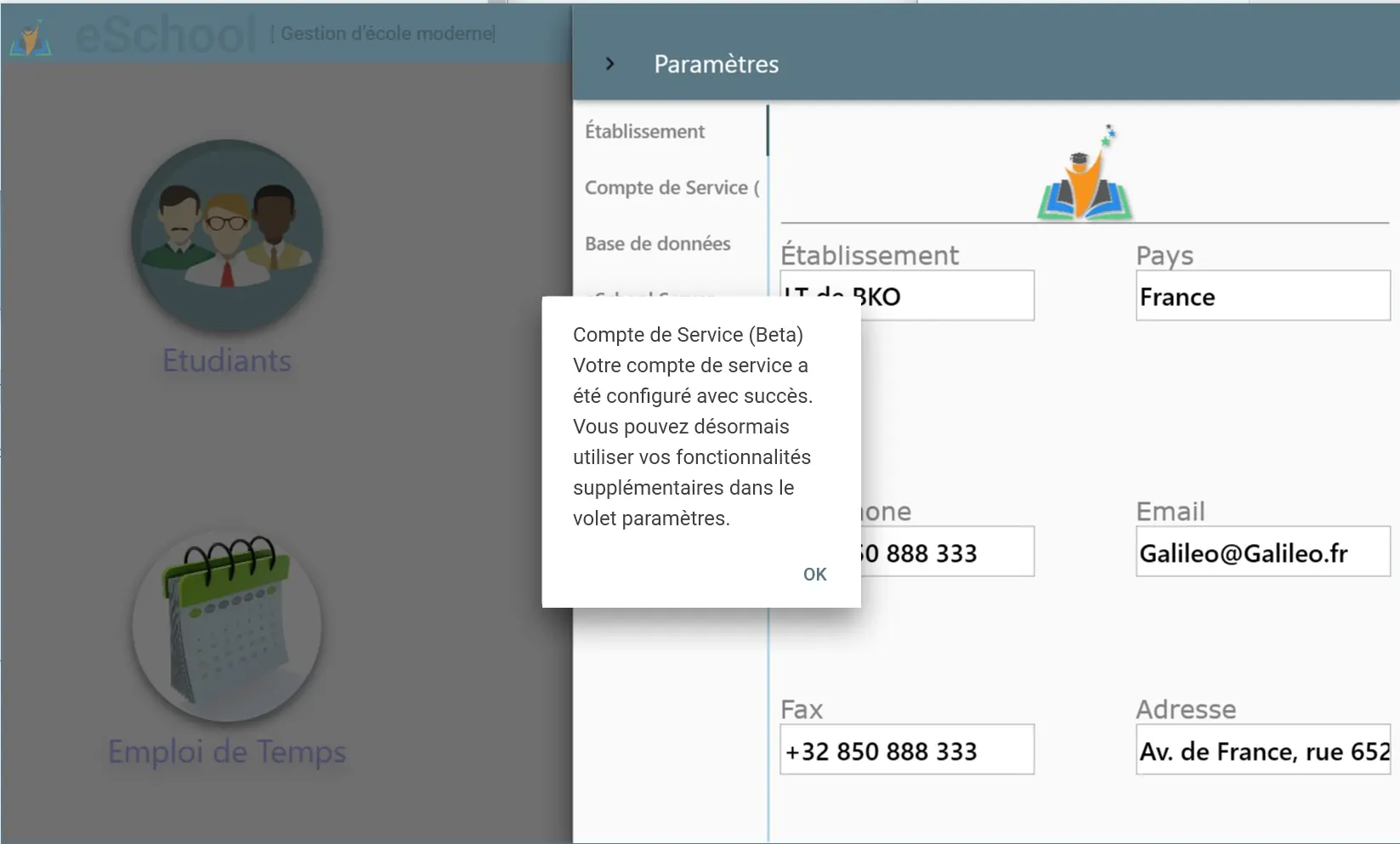
4. Verify
Section titled “4. Verify”In Luwal, open Settings (the gear button) and go to the Cloud tab. The Portal Account section shows your SMS Balance.
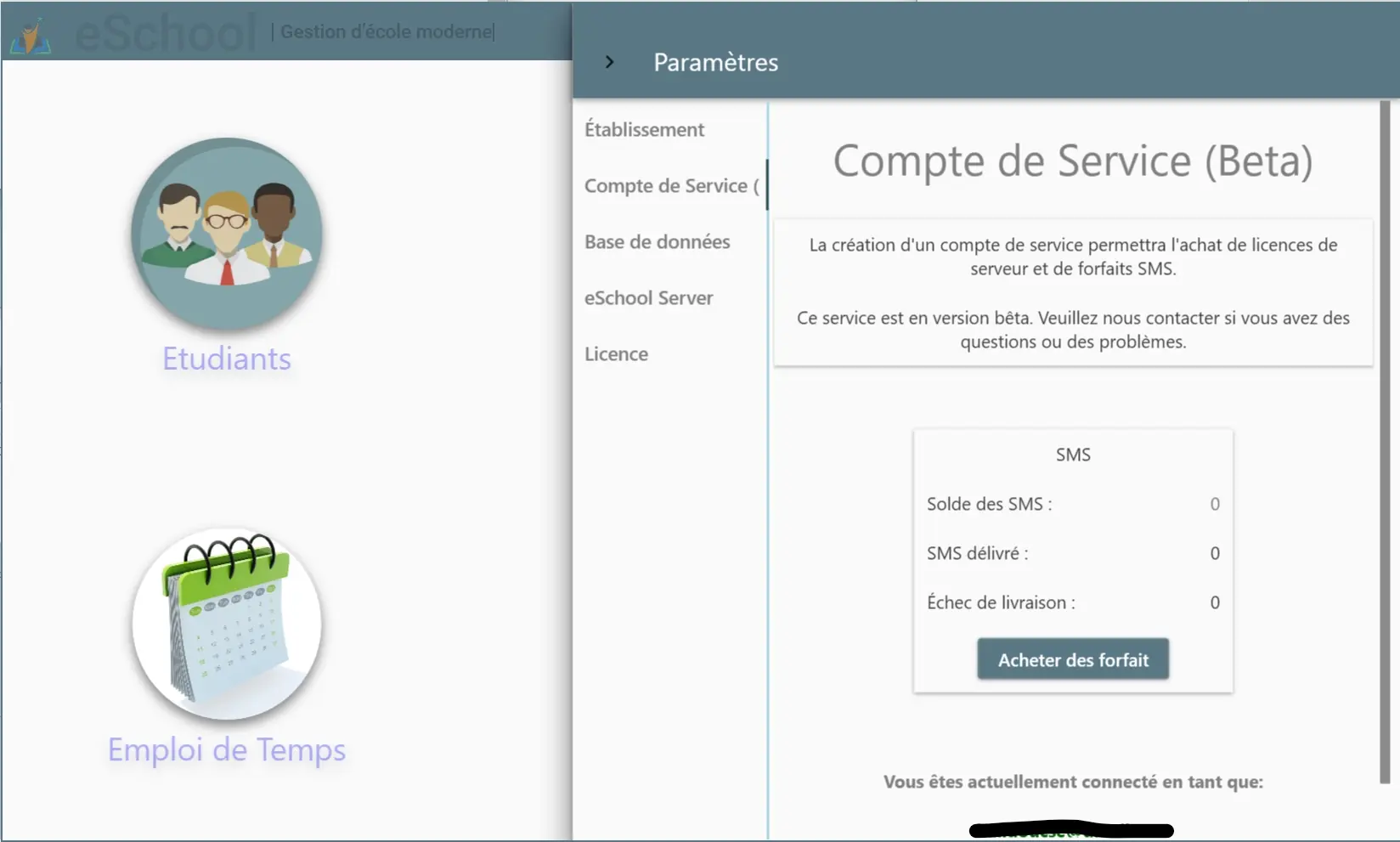
You can also start from Luwal: in the same section, click Connect to open the connection page.
You’re ready to send! See Send SMS.