

Holidays & Breaks
Add holidays, vacations, and break times to the school calendar.
- Mark the days when school is closed
- Scheduling takes these days into account
- Parents and staff can see the calendar online
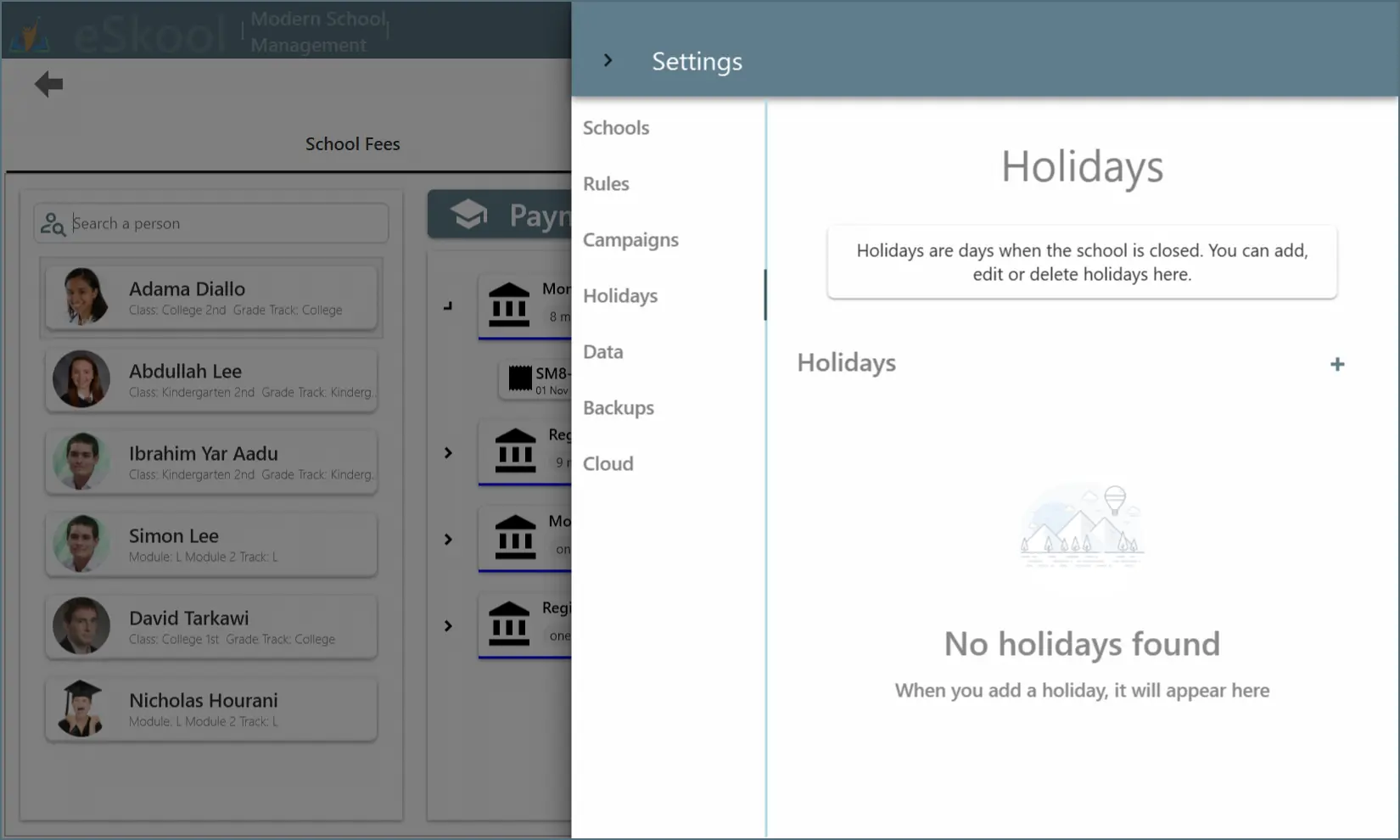
1. Open Holidays
Section titled “1. Open Holidays”Click the Settings (gear) icon at the top of the window, then open the Holidays tab.
2. Add a Holiday
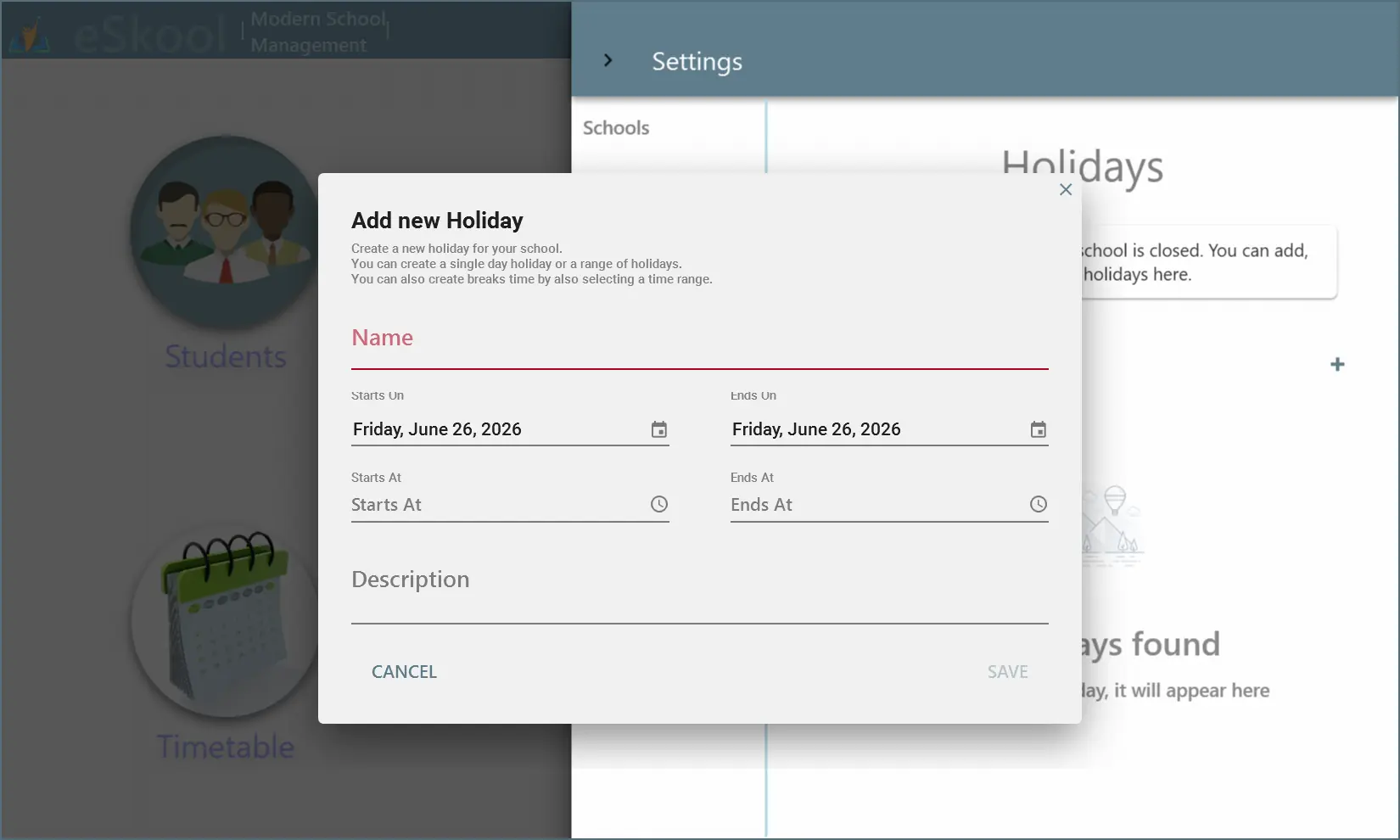
Section titled “2. Add a Holiday”Click the + button next to the Holidays title. Enter the Name and the Starts On and Ends On dates, plus an optional Description. Click Save.
3. Add Breaks (Optional)
Section titled “3. Add Breaks (Optional)”To block only part of a day, such as lunch or recess, also fill in Starts At and Ends At in the same form.
To remove a holiday, click its delete button and confirm.