

Schedule an Exam
Add an exam to the timetable.
- Everyone knows when and where the exam is
- The room gets reserved so no one else books it
- When it’s done, you can enter grades right from there
Before You Start
Section titled “Before You Start”The class needs its subjects, and at least one evaluation activity must exist.
1. Open Timetable
Section titled “1. Open Timetable”From the main dashboard, click Timetable.
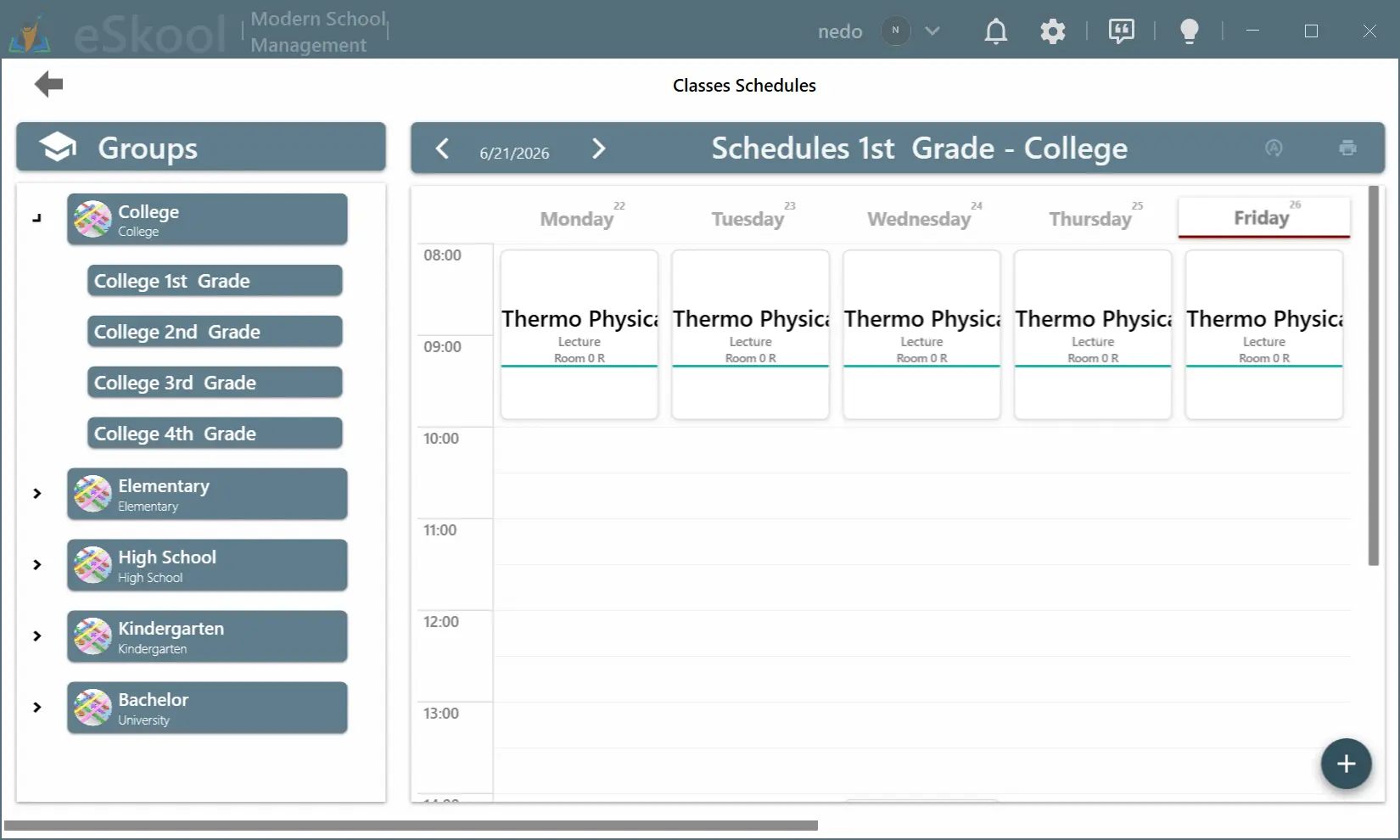
2. Select the Class
Section titled “2. Select the Class”In Groups, select the class. Click the plus icon (+) at the bottom right and choose Evaluation (the E button).
3. Enter Exam Details
Section titled “3. Enter Exam Details”In Plan an Evaluation, fill in:
- Course – The subject being tested
- Evaluation date – The day of the exam
- Activity – Type of exam (mid-term, final, etc.)
- Room – Where it takes place
- Start Time and End Time – When the exam happens
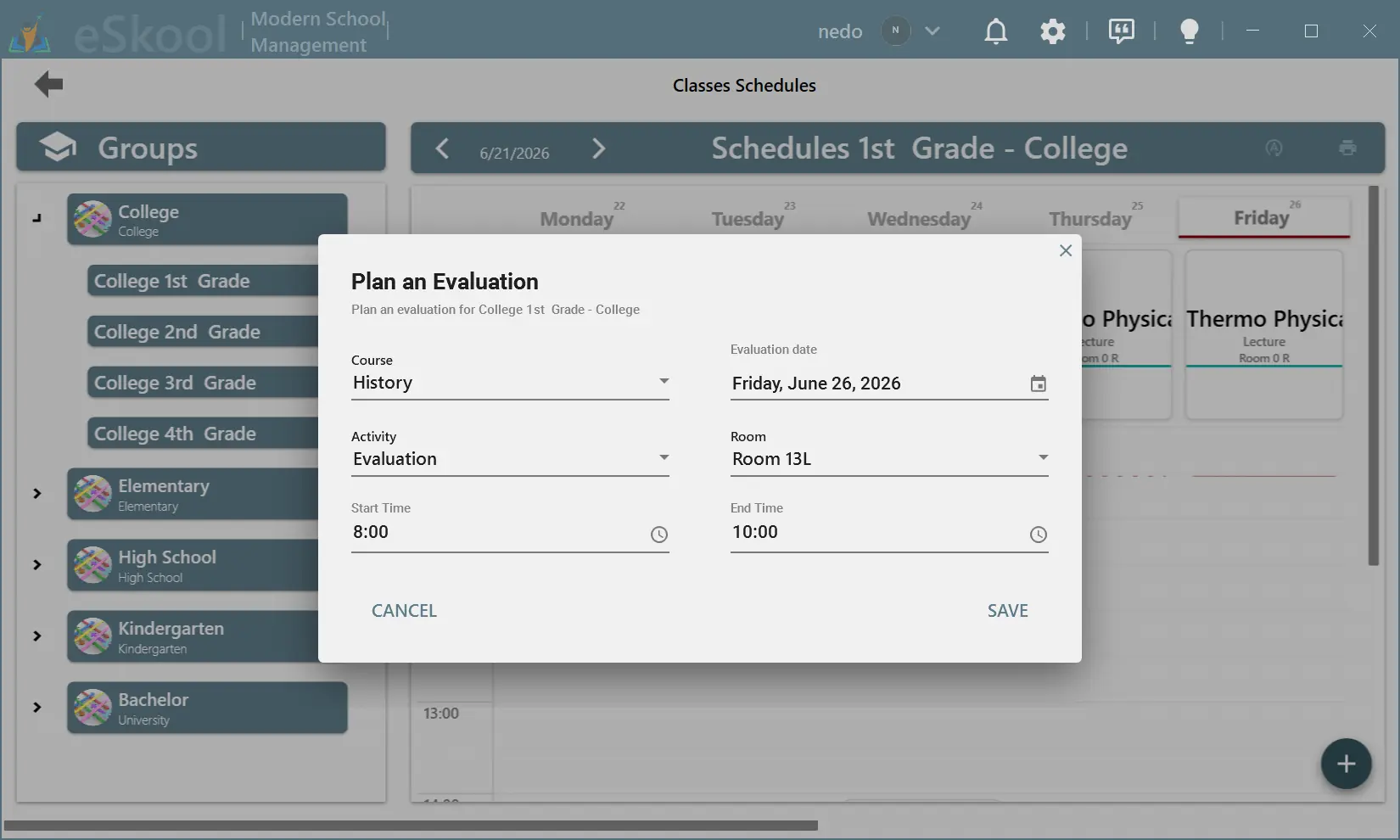
Click Save. The exam now appears on the timetable for students and teachers. Once it has started, enter the grades from the same timetable.