

Change Currency
Change the currency symbol shown in Luwal.
- Want € instead of $? Change it in your Windows settings
- The currency comes from your school’s country, chosen when you created the school
- Takes about two minutes
How to Change the Currency Symbol
Section titled “How to Change the Currency Symbol”-
Close Luwal.
-
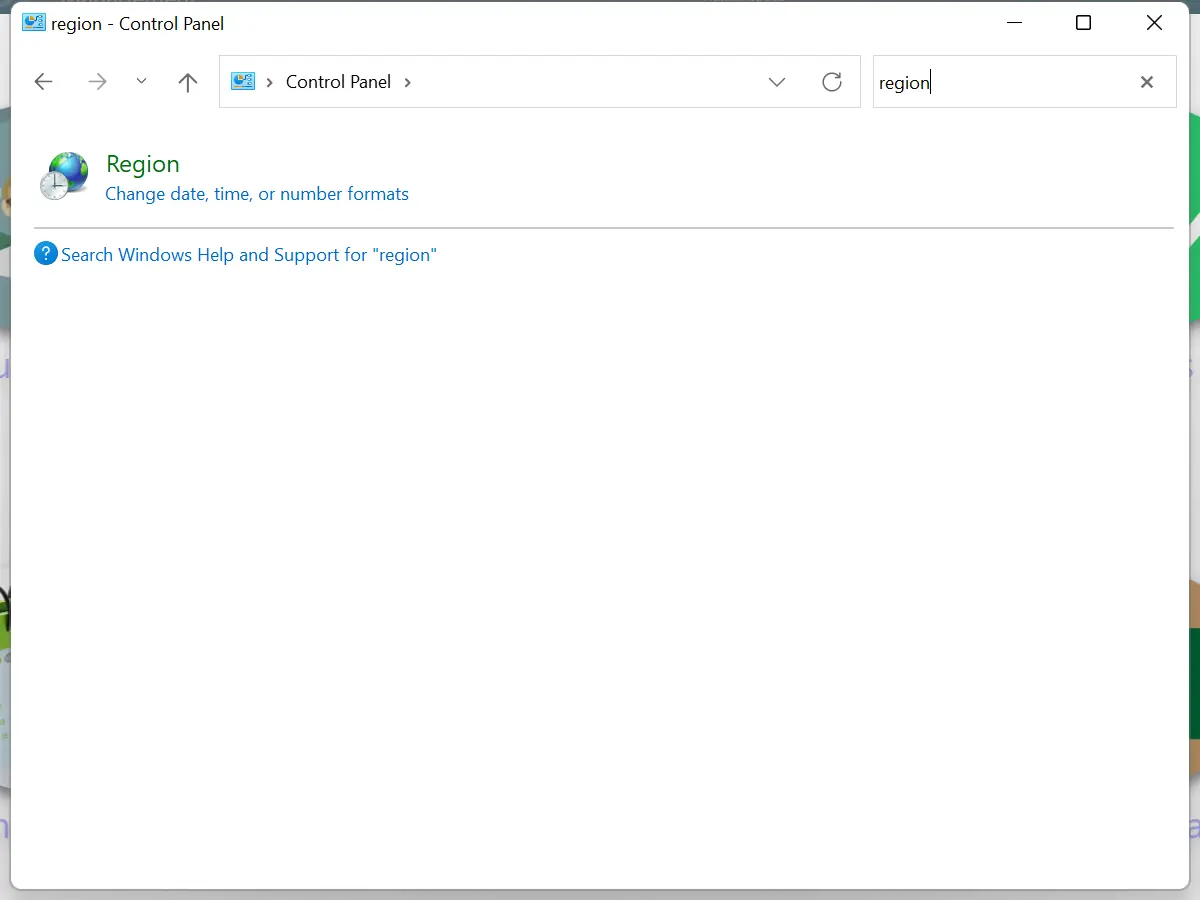
Open the Windows regional settings: Open Control Panel and search for Region.
-
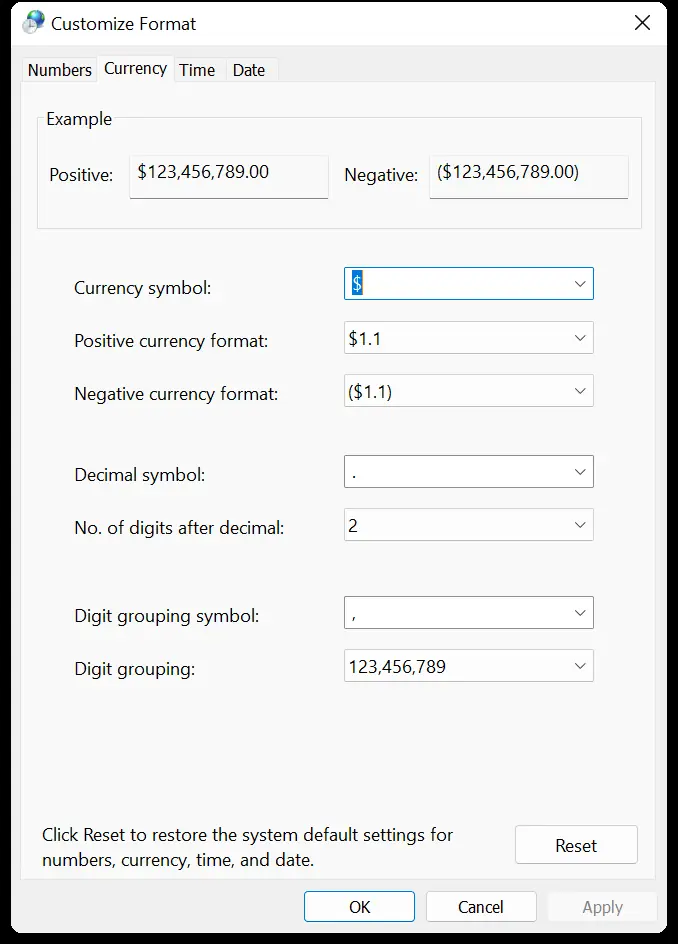
Change the currency symbol: On the Formats tab, click Additional settings, open the Currency tab, and change the symbol.
-
Click OK and restart Luwal. The new currency symbol appears throughout the app.