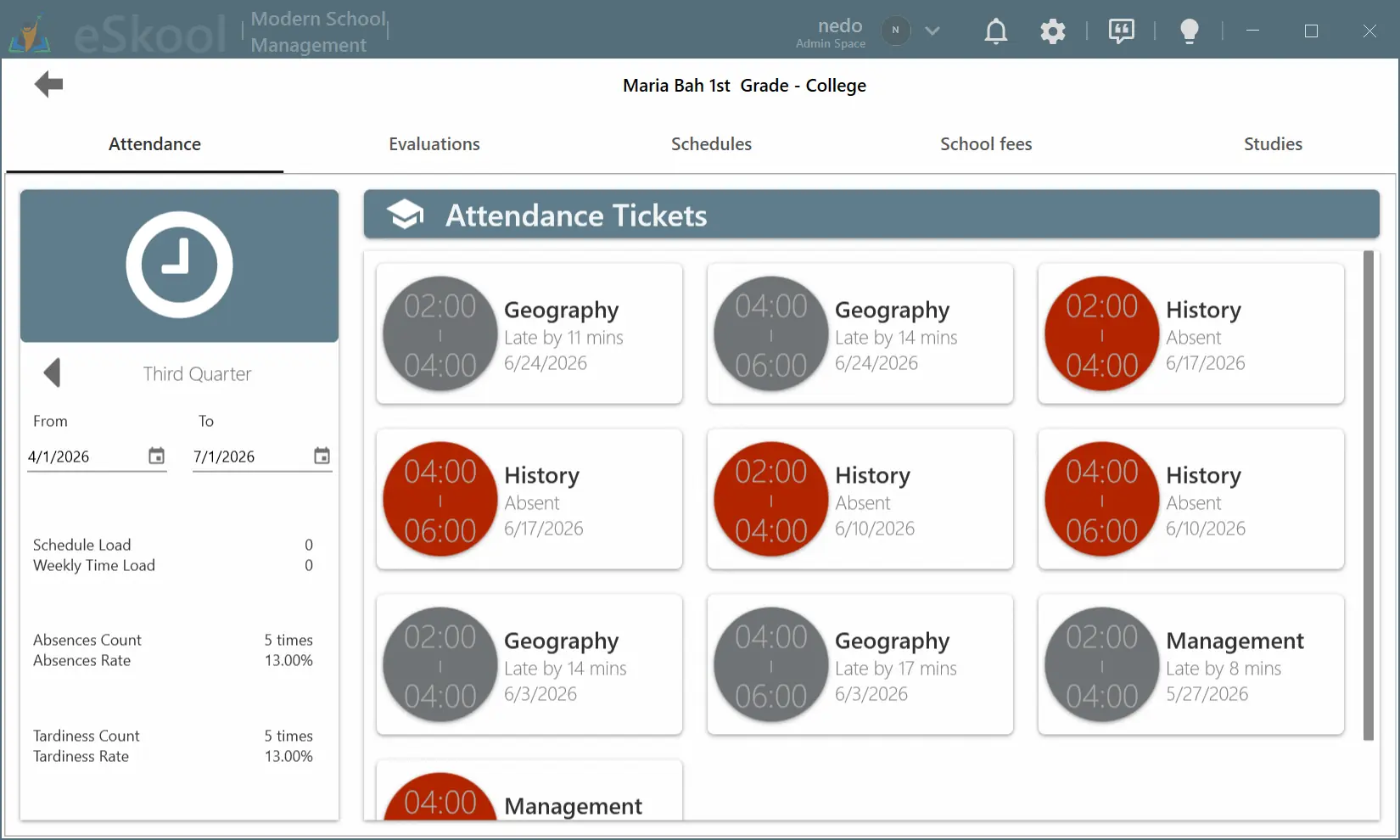
Take Attendance
Mark students present, absent, or late during class.
- Parents see right away if their child missed class
- Build a record to spot attendance problems early
- Takes just a minute at the start of each lesson
1. Select the Class Session
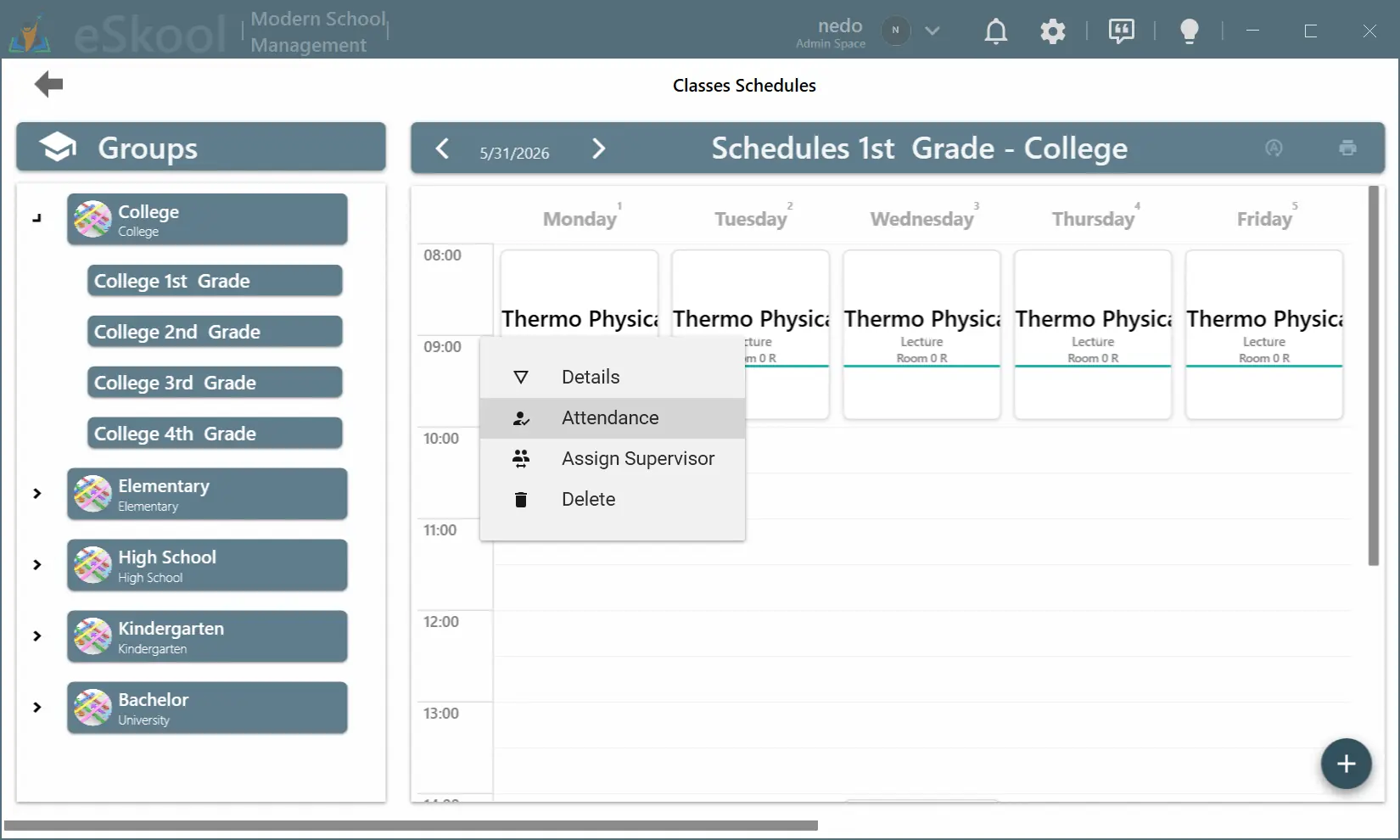
Section titled “1. Select the Class Session”From the main dashboard, click Timetable. In Groups, select the class. In the timetable, right-click the session and select Attendance.
Attendance appears only once the session has started, and only for activities that take attendance.
2. Mark Attendance
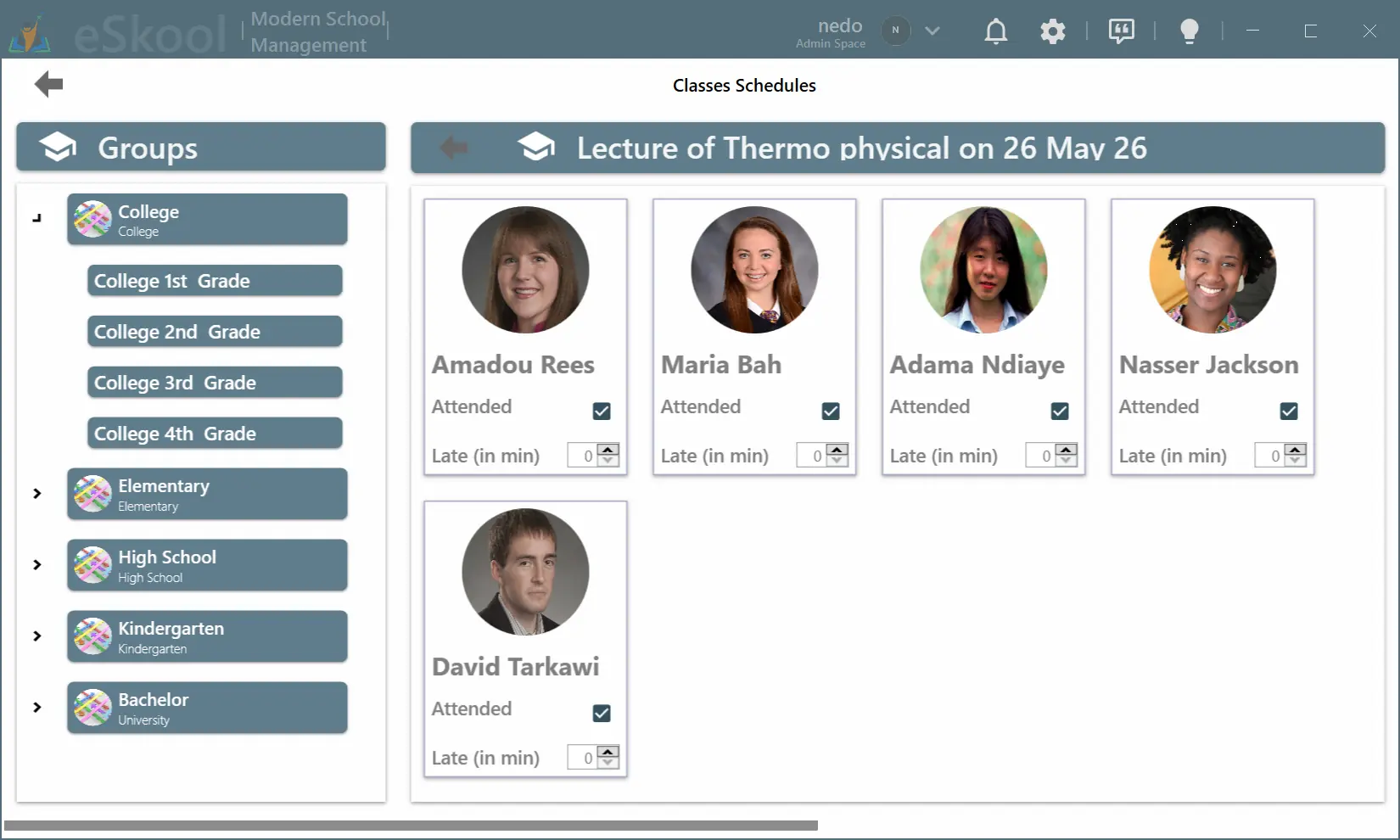
Section titled “2. Mark Attendance”Each student has a card:
- Attended ticked – the student is present. Untick it for an absent student.
- Late (in min) – for a present student who arrived late, enter the minutes late (0 to 60).
3. Done
Section titled “3. Done”There is no Save button: Luwal saves each change as you make it.
Absences and late arrivals then appear in the student’s Attendance tab. See Attendance & Tardiness