

Subjects
Define the subjects taught in each class.
- Math, English, History—set them up once per class, use them everywhere
- You’ll need these before you can assign teachers or enter grades
- They show up on timetables and report cards automatically
View Subjects
Section titled “View Subjects”- From the home screen, click Programs.
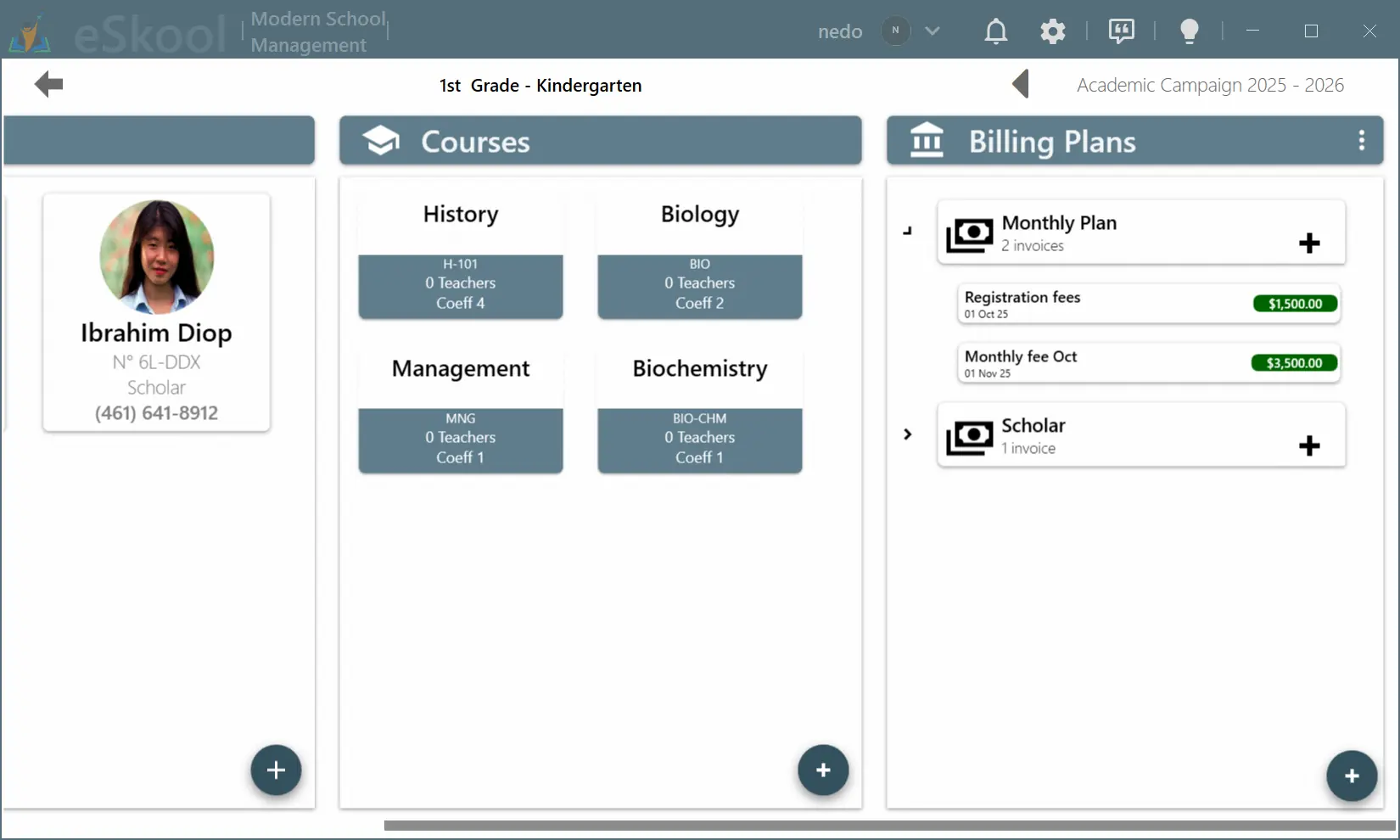
- Double-click a class. Its subjects are listed in the Courses panel.
Add a Subject
Section titled “Add a Subject”- In the Courses panel, click the + button at the bottom right.
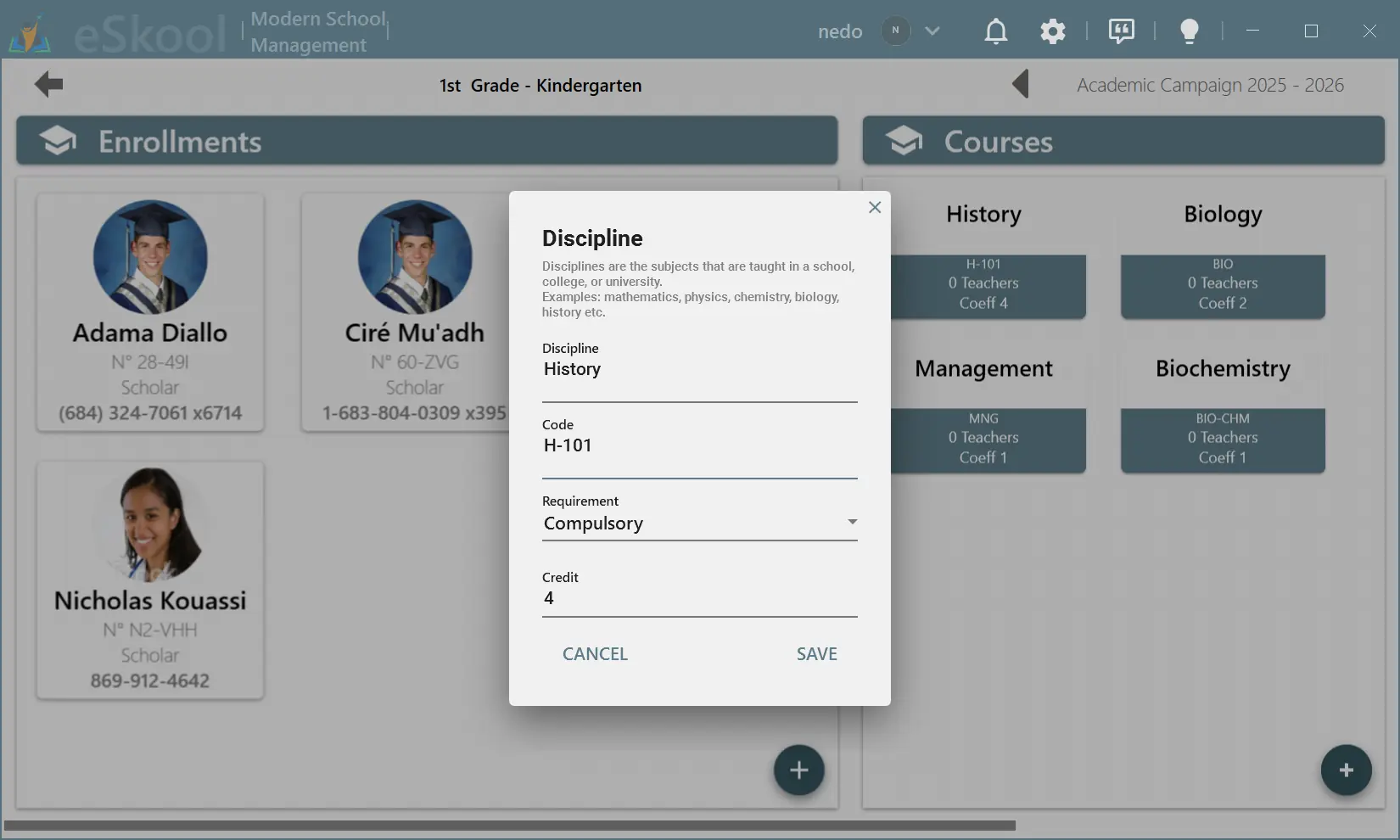
- Enter the subject name in Discipline (at least 2 characters). Code is optional.
- Set the Requirement (Compulsory, Optional or Additional) and the Credit (the subject’s coefficient).
- Click Save.
Edit or Delete a Subject
Section titled “Edit or Delete a Subject”Right-click a subject and select Edit or Delete.
To choose who teaches each subject, see Assign Subjects to Classes.